🛒 GreenCart – MERN-Based E-commerce Platform with Stripe
🚀 Originally shared on X by Aniruddh Nagare
GreenCart is a full-stack shopping application built using the MERN stack — MongoDB, Express.js, React, and Node.js — featuring seamless Stripe integration for secure and efficient transactions.
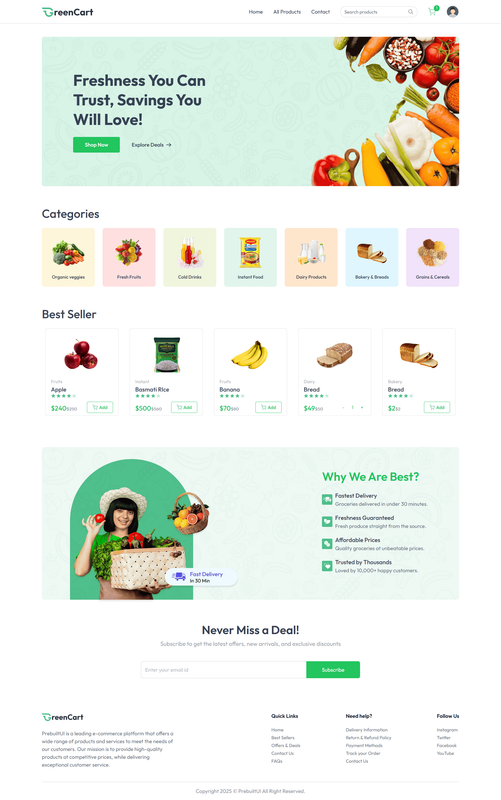
The app includes:
- A smooth buyer interface to browse products by category
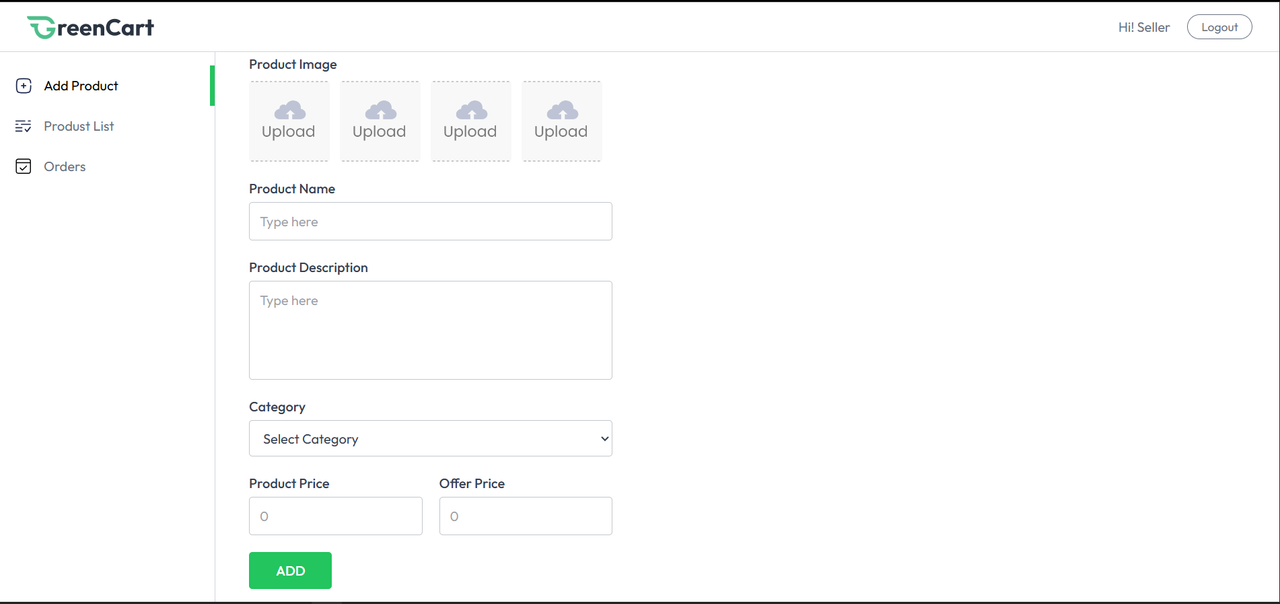
- A dedicated seller portal for product uploads and order management
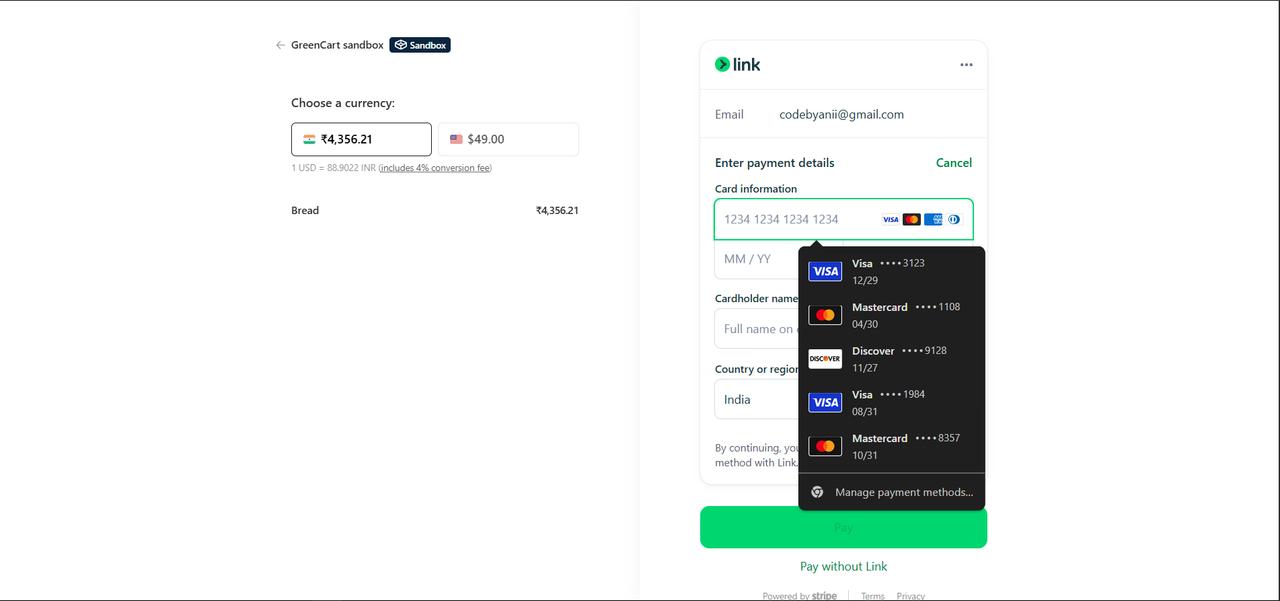
- A secure checkout process via Stripe
🔍 Project Highlights
👨💻 Tech Stack
- Frontend: React.js
- Backend: Node.js + Express
- Database: MongoDB (with Mongoose)
- Payments: Stripe
- Authentication: JWT + Cookies
- Deployment: Render / Vercel / Railway
📸 Screenshots
Seller Dashboard
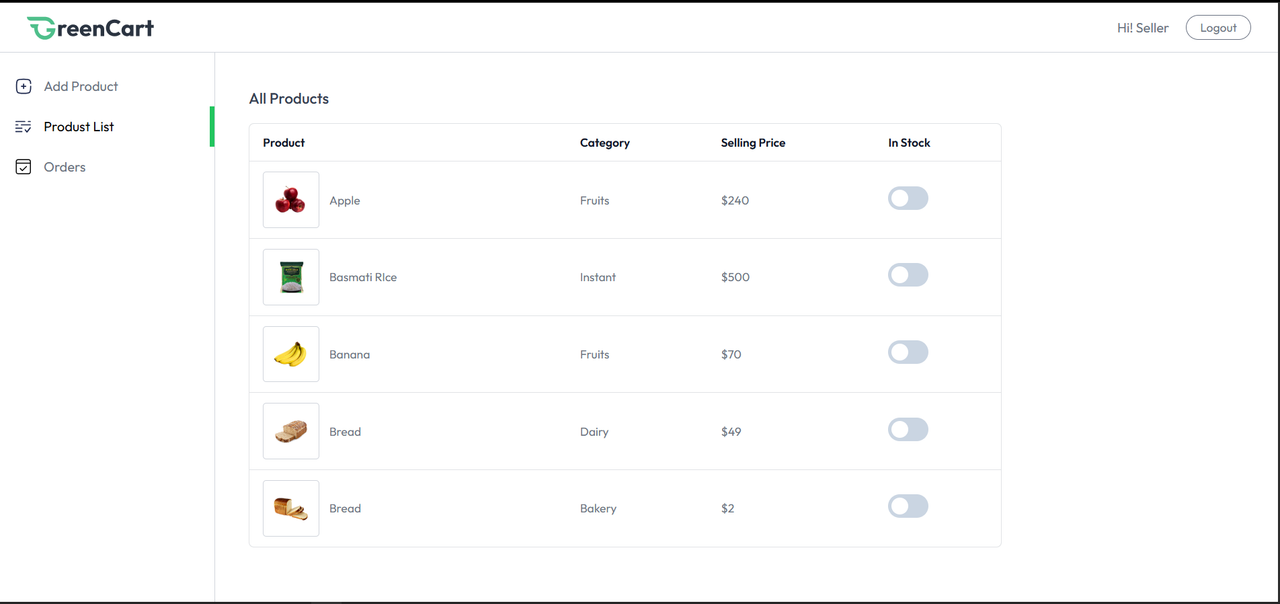
Product List Page
Stripe Checkout
💳 Stripe Integration in MERN: A Step-by-Step Guide
Stripe allows you to collect payments easily and securely. Here's how you can implement it in your MERN application.
🔗 Prerequisites
- Node.js installed
- A Stripe account
- A working MERN project
✅ Step 1: Install Stripe Libraries
npm install stripe
npm install @stripe/react-stripe-js @stripe/stripe-js
✅ Step 2: Set Up Stripe in Backend
Create a .env file:
STRIPE_SECRET_KEY=your_stripe_secret_keyBackend (Express):
// routes/payment.js
const express = require("express");
const router = express.Router();
const Stripe = require("stripe");
const stripe = Stripe(process.env.STRIPE_SECRET_KEY);

router.post("/create-checkout-session", async (req, res) => {
  const { products } = req.body;

  const line_items = products.map(product => ({
    price_data: {
      currency: "usd",
      product_data: {
        name: product.name,
      },
      unit_amount: product.price * 100,
    },
    quantity: product.quantity,
  }));

  const session = await stripe.checkout.sessions.create({
    payment_method_types: ["card"],
    line_items,
    mode: "payment",
    success_url: "http://localhost:3000/success",
    cancel_url: "http://localhost:3000/cancel",
  });

  res.json({ id: session.id });
});

module.exports = router;
✅ Step 3: Add Payment Route to Backend
// server.js or app.js
const paymentRoutes = require("./routes/payment");
app.use("/api/payment", paymentRoutes);
✅ Step 4: Frontend Integration
Create Stripe Context
// App.js or index.js
import { loadStripe } from "@stripe/stripe-js";
import { Elements } from "@stripe/react-stripe-js";

const stripePromise = loadStripe("your_public_key");

<Elements stripe={stripePromise}>
  <YourCheckoutComponent />
</Elements>
Checkout Component
import { useEffect, useState } from "react";
import { useStripe, useElements, CardElement } from "@stripe/react-stripe-js";
import axios from "axios";

const Checkout = ({ cartItems }) => {
  const stripe = useStripe();
  const elements = useElements();

  const handleSubmit = async (e) => {
    e.preventDefault();

    const response = await axios.post("/api/payment/create-checkout-session", {
      products: cartItems,
    });

    const result = await stripe.redirectToCheckout({
      sessionId: response.data.id,
    });

    if (result.error) {
      console.error(result.error.message);
    }
  };

  return (
    <form onSubmit={handleSubmit}>
      <CardElement />
      <button type="submit">Pay Now</button>
    </form>
  );
};

export default Checkout;
📚 Resources
🎯 Conclusion
GreenCart is scalable online stores. With tools like Stripe and the MERN stack, developers can quickly launch fully functional e-commerce apps.
💬 Got questions? Reach out on X or leave a comment below!